PMS Report - eZee iReport1.0.24
Publisher Description
eZee iReport for PMS offers a unique opportunity to receive summarized reports
A mobile report app - eZee iReport offers a unique opportunity to receive summarized hotel reports of reservation and revenue data of your hotel and restaurants immediately right on your tablet and smart-phone.
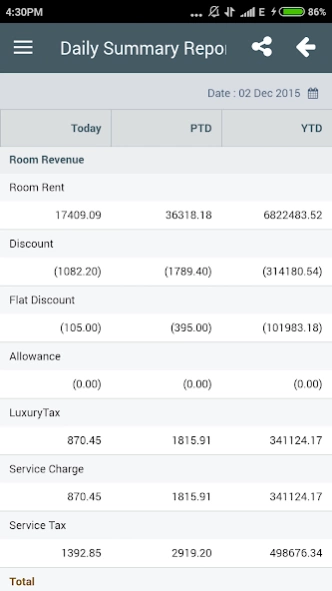
eZee iReport App for hotel delivers PMS reports for the current day, besides providing ‘Period to date’ and ‘Year to date’ room revenue as well, by selecting a particular time period.
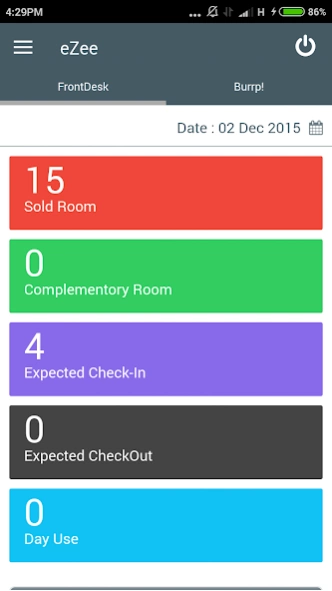
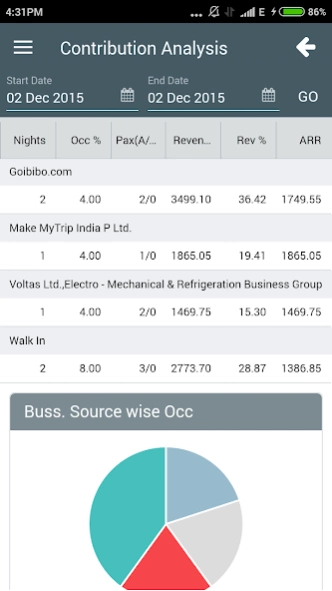
Hotel PMS report gives instant data of the hotel's overall occupancy, summary of hotel revenue and summarized data of the hotel's quarterly performance in terms of Available Rooms, Total Nights Sold and more.
eZee iReport for Hotel PMS report offers:
- Revenue Summary with Average Daily Rate
- Occupancy Chart
- Room Status Summary
- Daily Summary Report
- Operational Report
eZee Technosys Pvt. Ltd. is a complete hospitality solution provider, offering desktop and cloud based PMS, hotel booking engine, channel manager and a point-of- sale software. eZee is a forerunner in developing leading edge technologies for hospitality industry that render the aspects of hotel operations automation and make hotel management easier.
For more information, contact us on
Mail : sales@ezeetechnosys.com
Phone : +91 97277 09911 (Call/Whatsapp/Viber)
Skype : sales4ezee
About PMS Report - eZee iReport
The company that develops PMS Report - eZee iReport is eZee Technosys. The latest version released by its developer is 1.0.24.
To install PMS Report - eZee iReport on your Android device, just click the green Continue To App button above to start the installation process. The app is listed on our website since 2019-07-27 and was downloaded 6 times. We have already checked if the download link is safe, however for your own protection we recommend that you scan the downloaded app with your antivirus. Your antivirus may detect the PMS Report - eZee iReport as malware as malware if the download link to com.ezeetechnosys.ireport is broken.
How to install PMS Report - eZee iReport on your Android device:
- Click on the Continue To App button on our website. This will redirect you to Google Play.
- Once the PMS Report - eZee iReport is shown in the Google Play listing of your Android device, you can start its download and installation. Tap on the Install button located below the search bar and to the right of the app icon.
- A pop-up window with the permissions required by PMS Report - eZee iReport will be shown. Click on Accept to continue the process.
- PMS Report - eZee iReport will be downloaded onto your device, displaying a progress. Once the download completes, the installation will start and you'll get a notification after the installation is finished.
Program Details
System requirements
Download information
Pricing
Version History
version 1.0.24
posted on 2019-07-27
- Minor issue fixes
